-
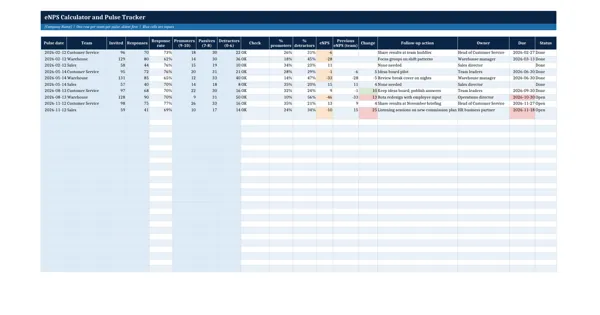 Excel workbook preview
Employee Engagement and Retention
eNPS Calculator and Pulse Tracker
3 downloads per free account, no card needed.
Who this is for
An HR adviser who runs a quarterly pulse and is asked by a director what the team eNPS is and whether it has moved since the last pulse.
What is inside
- Calculator sheet: counts for scores 0 to 10 give eNPS = % promoters minus % detractors, live
- Pulse tracker with 10 sample pulses for 3 teams and 24 blank rows
- Live response rate, promoter, passive and detractor percentages and eNPS per pulse
- Change against the same team's previous pulse, red when eNPS falls by 10 points or more
- Check column flags a row where promoters, passives and detractors do not add up to responses
- Follow-up owner, due date and status; overdue dates turn red
How to use it: Enter the number of responses in each band for each pulse; eNPS, response rate and the change against the team's previous pulse calculate themselves.
Files & formats
- XLSXenps-calculator-and-pulse-tracker.xlsx14 KB
Opens in Microsoft Word or Excel, Google Docs or Sheets and LibreOffice. Delivered instantly from your browser.
Free downloads & full access
Every account gets 3 free downloads. Re-downloading a template you already have does not count. This template on its own is $17.99, and buying it keeps your free downloads for something else. Full access is a one-time $249 for all 300 templates, for life.
Bought with a different email? Open your account and enter your order number.
Licence
Use and adapt the document inside your own organisation or for your own clients. Do not resell or republish the templates themselves.